Practical Skills

I changed the character controller using this as a tutorial and guide, which made it feel much more fast paced, additionally I'm considering adding a timer as well as leaderboards to encourage people to play the levels fast, in addition to this I created a basic gun model and a bit of UI to show the gun in the middle of the screen and the players health. Next I started working on the base for a level which will introduce shooting and enemies to the player. I chose to make a simple room to start with because it helps introduce the concept of enemies to the player, while still giving them a sense of urgency due to the locked door, I was attempting to make the gun only appear on top but am having some issues with the material which I will fix later as it's not the top of my priority right now, but at least it appears on top. (Shown in Video 1)
I added a swaying material to the weapon because I personally thought it looked nicer and it gives off the effect of a liquid much better than if it was just a still block of acid. In addition to this I also added the ability to drink the acid if you press B on the keyboard, I have no reason for adding this other than I thought it was funny, this also deals 1 damage to the player, because drinking acid hurts. I re-used code from the older weapon tutorial and used this website to get a better idea of how raycasts actually work. Once I fixed a few issues it worked. Afterwards I decided that I wanted to start working on the enemy model, you can see some of the inspirations here. I decided that I wanted to actually create my own textures this time, so I used Aseprite to make them. Once I created the texture I put the model into blender and replaced the enemy model with my new one, and it worked with one small issue, the enemies weren't actually looking at the player (In picture 1), so after some google searches I found out through this post that there's actually just a "look_at()" function built into Godot.
After I had done that I needed to add player health to the game so that enemies could attack the player and so that I can add a mechanic I'm going to be adding after creating the health UI assets. After creating the UI assets I added it to the game, one for Health and one for Mana. I also made it so that the player could take damage from enemies. I initially ran into an issue where the enemies would deal damage to the player no matter what area they collided with, but after I changed their collision layer and restricted it to just anything in the players group it worked. Since the player could finally now hit 0 Health I thought it'd be important to make it so that the player could actually lose.
Creating the grapple for Map 05 was actually surprisingly easy! I followed this tutorial and it worked perfectly (Shown in Video 2). The textures on the map were made by me since I wanted to test a new style for texturing the maps themselves, since I was previously just using free textures online, so another thing I did this week was replace all of the textures in Map 02 and the newly created Map 05 with my own! I feel like it's a very needed addition because the old textures both felt out of place and also just weren't my own. I put an image on the right side of this to show the new textures in Map 02. After these changes I got 2 of my friends to playtest the 2 levels and I got some very valuable feedback from both of them, which I put into a trello board so that I could keep track of the feedback I've changed.
I needed to add player health to the game so that enemies could attack the player and so that I can add a mechanic I'm going to be adding after creating the health UI assets. After creating the UI assets I added it to the game, one for Health and one for Mana. I also made it so that the player could take damage from enemies, I initially ran into an issue where the enemies would deal damage to the player no matter what area they collided with, but after I changed their collision layer and restricted it to just anything in the players group it worked. Since the player could finally now hit 0 Health I thought it'd be important to make it so that the player could actually lose.
I decided to start working on the third map of the game because I really like making maps and if I ever run out of motivation to work on the actual mechanics for the game I tend to just go and work on maps because it almost always makes me motivated to work on mechanics for the game. I wanted to make a much bigger and more open map as the third map, as the main mechanics of the game have been introduced in the first 2 levels so I thought it'd be interesting to put them together in a bigger map, I was inspired by The Plaza from Shipwrecked 64, honestly I don't have much of a reason for that besides the fact that I really like Shipwrecked 64's level design. For this level I wanted to make it so that the player had to press 3 buttons to exit the area, the buttons will be scattered across the map which will be guarded by enemies, requring the player to get through the enemies before being able to get to each button.
I re-used code from the older weapon tutorial and used this website to get a better idea of how raycasts actually work. Once I fixed a few issues it worked. Afterwards I decided that I wanted to start working on the enemy model, you can see some of the inspirations here. I decided that I wanted to actually create my own textures this time, so I used Aseprite to make them. Once I created the texture I put the model into blender and replaced the enemy model with my new one.
I thought that since I was moving onto working on UI I'd create the level timer first, since that's something that I'd be able to revolve the rest of my UI around. I used this reddit post to help get a better understanding of how timers work in Godot, furthermore it helped me realise something which I hadn't even considered, I should make it so that the timer only starts when the player first moves, this allows it to be much fairer and gives players more time to process that the level has begun.
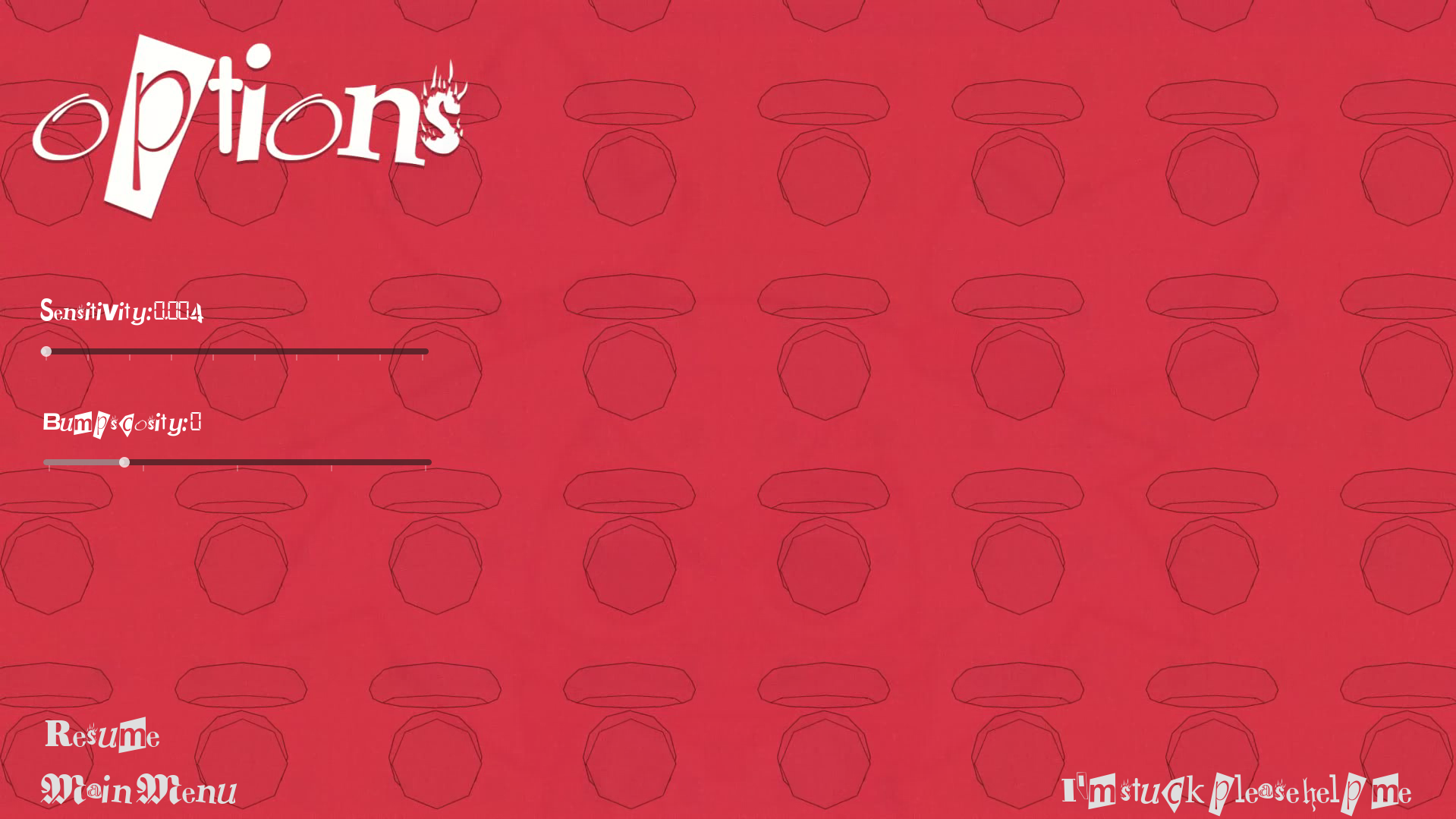
After receiving the abundance of feedback, the first thing I changed was adding a quick restart button, as I felt like it was essential for both gameplay and testing, this also included me adding a settings menu which allowed the player to change the sensitivity and bumpscosity settings (Shown in Image 1), this meant that I had to create a saving system to save the settins of the player, this was pretty simple in the end but really difficult to figure out at the time, I managed to figure out the entire save system without using a single tutorial and just connecting parts of the documentation and my knowledge together and I'm proud that I was able to do that because it shows that I'm starting to understand godot on a deeper level. I'm also happy that I created this now because if I want to be able to save player highscores I have all the code ready to do it I just need to adjust it slightly.
When revamping Map 02 I essentially just redid the beginning of level 2 but with a bit more flair such as more rounded corners and nicer doorways, and the wait between getting the weapon and the first arena is a bit smaller.
I was quite afraid of trying to reimplement doors into the game as last time I tried it was a hassle to get to work, but this time I did it flawlessly (Shown in Video 3), I wanted to make it so that you could easily pair doors and buttons, and previously I wouldn't have known how to do this but now I know you can make each individual instance of the object connect to a separate door, meaning that the door mechanics are perfectly scalable no matter how many doors and buttons are in the level.
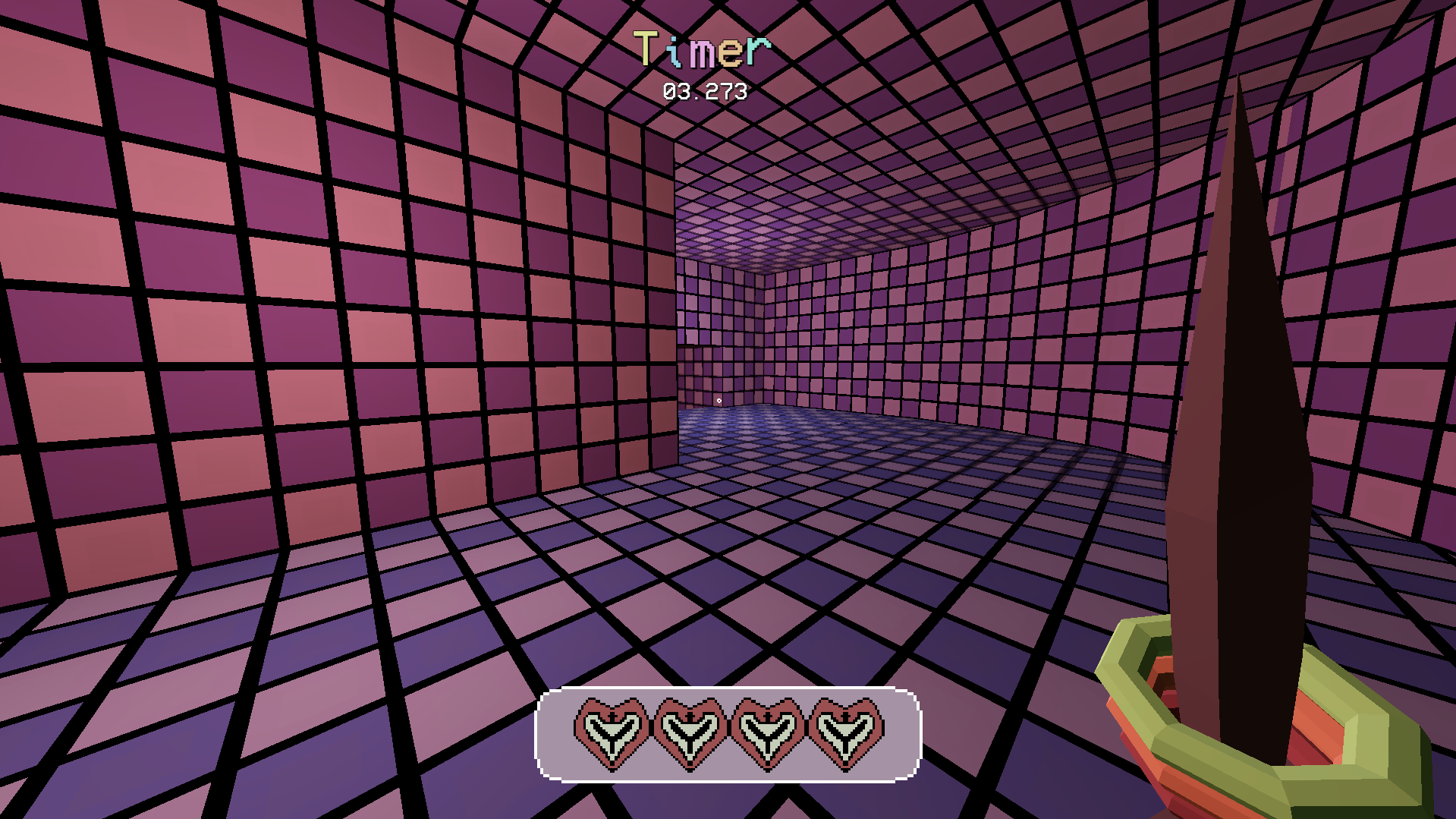
I also created a health bar so that the player knows how much health they have. I did this using a texture progress bar, which allows me to put a texture on top of another, and remove parts of it based on the value. (Shown in Image 2)
I added in the vending machine model I made a while ago, which I'm going to use to allow the player to regain health. To do this I’m going to give the vending machine a certain amount of uses, where each use will heal the player for 1 full heart (25HP). A large majority of the vending machines will have 1 use, but they’ll have 2 uses before major events such as rooms with large amounts of enemies or bosses. (Shown in Video 5)
I made it so that the player picks up the weapon at the start of the level like before, because of this I also had to redo the texture for the front of the cube that you grab it from. I also gave it a small animation to make the game feel more dynamic