Problem Solving

Contingency Plan
Corrupted Project Files
To counter this, I will keep back ups in an easily accessible and neatly organised google drive due to the fact I have infinite space, furthermore I will only use stable versions of Godot to prevent a larger chance of corruption.
College may close temporarily or I'm unable to come into the college.
I am able to work on this project entirely from home in the event that the collge is closed, additionally there are communication methods such as emails or discord that I can use to get in contact with tutors if needed.
I run out of time during the project.
I will create an effective GAANT chart and a Trello board in an effort to plan ahead, furthermore I will make sure that the scope of my project isn't too large, keeping it barebones to begin with and adding more as time goes on if I'm able to create the smaller scope in a short amount of time.
Can only access certain programs at college.
I will try to stick to creating the game itself within college, and then doing all the music at home due to only having access to FL Studio at home. In addition to this I only have access to Aseprite at home but if need be I can use Libresprite to create pixel art while I am in college.
Hardware becomes faulty.
I have spare RAM at home if the RAM in my PC becomes faulty, otherwise I will need to look into getting new parts for my PC if the worst case scenario happens, if I'm unable to do that I can still work on the project from college, although this contingency is unlikely it is still worth mentioning, especially with the current state of Windows 11 causing more and more problems for peoples computers.
Windows 11 becomes unuseable.
Another unlikely contingency, however if Windows 11 does become unuseable or unstable to use, I can switch to using linux, which I already have knowledge on how to use. In addition to this Godot and Aseprite run perfectly under linux and FL Studio can be ran under Wine which is used for running Windows programs on linux.
Record of Problems
The players movement felt very static and sluggish, there was no fluidity at all in the movement, to counteract this I added acceleration to the player, this made it so that the player (although very quickly) sped up to max speed, rather than immediately getting set to the max speed, this makes the game feel much better to play. Originally I was going to keep it like this, but after some feedback from a friend, I decided to remove the deceleration at stop due to the deceleration making some of the back and forth movement feel tacky.
I'll be running the game in fullscreen and adding controller support so that it is exclusively played with a controller on open day, however, the main issue is that when you go into fullscreen the game ends up in the top left corner rather than in the centre of the screen, luckily the fix for this was actually really easy, I just had to change the mode to “Exclusive Fullscreen” which adds the black bars on the side and centres the screen correctly!
when creating interaction, initially I was following a tutorial by DevWorm, whilst it did set a good base it just ended up not working, so I ended up asking a friend who is a whole lot better at godot than me for some help with it, he suggested that I actually check for overlapping bodies, which checks for any collision shapes in my players area, which could cause issues if not for the fact that I then check if the object has the “interact” function, which means that the code will only actually run if there's an interaction to happen… I was hoping this would work first time but it didn't, it was a really simple fix though, all I had to do was change “has_overlapping_areas” to “has_overlapping_bodies”, as the area itself should actually be checking for character bodies not areas!
it turned out that when I interacted with the NPC, it'd show the dialogue as per usual… but then when I would press a button to read the next section of dialogue, it'd actually just bring the original dialogue box back up! Luckily this was yet another simple fix, all I needed to do was make sure the dialogue box was not visible in an if statement before doing interaction, I achieved this using “!Dialogic.Text.is_textbox_visible():” this basically just means that it's checking whether the Dialogic text box is not visible, as the exclamation mark indicates not in programming.
Now that I had everything set up, I just needed to make it so that I could actually display what was in the players inventory, it turns out that it's following the camera and staying on the bottom right of the player, rather than being attached to the screen, after a quick google search I managed to find out that if you want the UI to follow the screen, you actually have to use a CanvasLayer and not just a control node, so after adding the canvas layer, the problem was solved!
my initial idea was to create a for loop, which would go through every item in the players inventory and then add it to the graphic inventory, but this just… wasn't working at all for some reason, I attempted to add a print_debug() function to try to check if it was running the script but it turns out that it just wasn't running at all! Turns out it was yet another very silly error which I figured out by reading the docs, it's because I wasn't actually connecting to the dialogue system in my ready function, meaning that the node didn't even know the dialogue system existed!
I was originally just going to use the string from the item name and then get an image of the same name, but that doesn't work because it doesn't actually know where to look for the image, this error might've actually been one of the toughest to fix. This error took so long to fix, and it was so simple to do too! What I needed to do was first, make sure that the path to the image exists. To do this I used “ResourceLoader.exists()” which checks if something exists at a specific path. I then used “ImageTexture.create_from_file()” using the item path as the file to create an image from, I then used that image as the icon for the item. Honestly this might've been the most confusing thing I've had the displeasure of doing in Godot but I am very glad it works now because it means that I can easily add new items anytime I want, and just incase there is no image with the same name as the item, I made an else statement which adds the item with a missing texture which I created in Aseprite so that any playtesters can identify something has gone wrong with image loading.
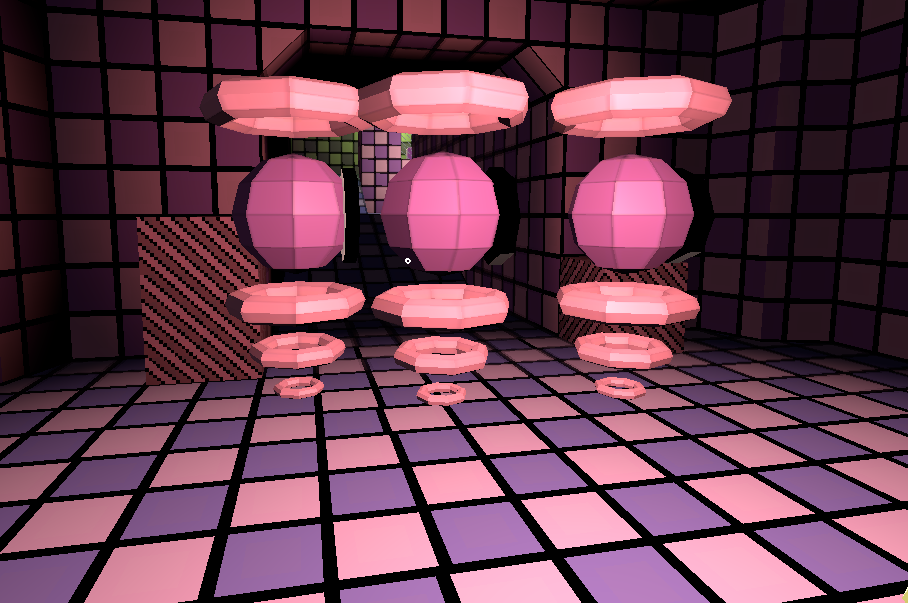
The shooting mechanics for the game were a huge struggle for me, originally I followed this tutorial, and for some time it worked well and felt right, but things slowly got worse over time and I noticed more and more problems, first of all the gun just kind of feels bad to use, the bullets don't feel like they shoot in the direction that they should sometimes, furthermore the collision on the walls where the bullets supposed to create a breaking effect only works like... sometimes (Shown in Video 1), I still don't know why that happens but I know it's a problem as well, in addition to all this, if I try to shoot enemies that are right in front of me it just, doesn't work at all, this is because of the fact that the player is shooting bullets out of the front of the gun, which ends up physically being behind the enemy in the world so it just goes completely through the enemy. I thought that the best solution for this was to try make melee weapons instead! I thought they'd feel a bit more original and I'm way more interested in melee weapons than I am ranged ones, additionally I could potentially add projectiles to the melee weapons in the future.
I had an issue where whenever the player would attempt to attack an enemy, the raycast would end up just going through the enemy and not updating correctly, this turned out to be a really simple fix as all I had to do was just change the layer mask for the weapon raycast and the enemy hit area, this essentially just means that the raycast is only ever able to collide with the enemy hit area if there is one.
This week began with me starting to work on proper UI. I wanted the enemies to be able to kill the player, so for this I needed health, so I wanted to display the health for the player. I still hadn't decided how I wanted the UI to work yet, I did try an iteration of 2D UI but it didn't really feel like it fit so I decided that I wanted to try making a 3D UI, similar to Psychopomp and Dreamwild.
I thought that since I was moving onto working on UI I'd create the level timer first, since that's something that I'd be able to revolve the rest of my UI around. I used a reddit post to help get a better understanding of how timers work in Godot, furthermore it helped me realise something which I hadn't even considered, I should make it so that the timer only starts when the player first moves, this allows it to be much fairer and gives players more time to process that the level has begun.
I'm definitely going to fix the way the gun works at some point soon due to the fact that it's very broken right now because it uses a projectile system which is a lot less stable compared to a hitscan system. I decided that instead of actually fixing the gun, I should just make a melee weapon instead, so I started working on making a sword... but that didn't go to plan at all and I accidentally ended up making something adjacent to a wine glass, so I changed the idea up completely.
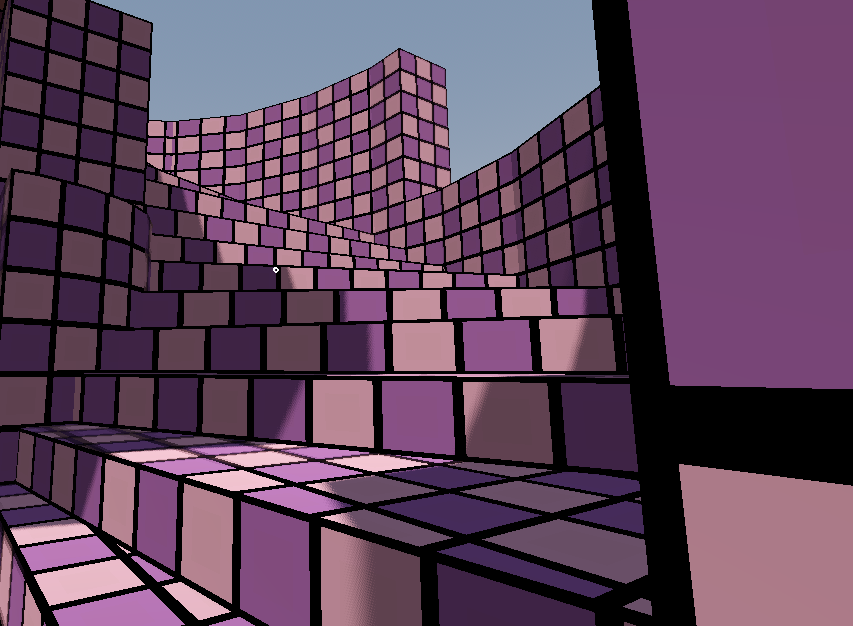
Initially I was going to add stairs (Image 2) to the game to give the levels a bit more life rather than always using slopes (Shown in Video 2), turns out that's a whole lot harder than I anticipated even when I was following this tutorial it didn't help very much, so I decided against this and just went onto revamping level 2.
it's about time I look at all the problems with the game's combat, the main one is that, for some reason I don't know why, the enemies don't do damage to the player, I thought I had added this to the game previously but I must've accidentally went back a version, which honestly isn't a big issue because I'd like to redo it anyway.
It uses a projectile system which is a lot less stable compared to a hitscan system. I decided that instead of actually fixing the gun, I should just make a melee weapon instead, so I started working on making a sword... but that didn't go to plan at all and I accidentally ended up making something adjacent to a wine glass, so I changed the idea up completely, I had one side of the glass dedicated to throwing acid at enemies and the other side dedicated to hitting the enemy with a spike to make the acid do more damage. I decided that I also wanted to change the introduction of the weapon, the player will gain the weapon during the second level of the game, and instead of immediately being faced with enemies, they'll be able to break a few objects to learn how to use weapons, as I feel that gives the player more time and less stress to try to figure out the weapon before being thrown into an arena with enemies, especially a weapon with two firing modes. I extended the start of the level and added a small podium for the player to take the weapon from.
After creating the enemies, the enemies weren't actually looking at the player, so after some google searches I found out through this post that there's actually just a "look_at()" function built into Godot, so I used that and it worked. I found out that I was actually creating textures wrong previously, it turns out that there's a button in blender to Export UV Map, which I should've been using, because it allows me to then create textures that perfectly match the UV without having to change things in blender!
I still hadn't decided how I wanted the UI to work yet, I did try an iteration of 2D UI but it didn't really feel like it fit so I decided that I wanted to try making 3D UI, similar to Psychopomp and Dreamwild. I also recreated the Trello board from before because a lot of my project has changed, and I wanted to re-plan some parts of it so I knew which direction I was going with the game.
I started working on the second weapon for the game, which will be a hitscan only weapon, but I hadn't got any ideas for it so I looked for inspiration. I ended up wanting to make something which allows the player to give an item to receive something else, or as a way to unlock doors, and instead of doing something simple like a door with a key, or a podium to put an item on, I decided to go with a vending machine, as I feel it fits in the game, despite it seeming random that conencts to the odd nature the game. I'm mainly inspired by the Vending Machines from Neon White and the Computers from Shipwrecked 64.
Initially I was going to add stairs to the game to give the levels a bit more life rather than always using slopes, turns out that's a whole lot harder than I anticipated even when I was following this tutorial it didn't help very much, so I decided against this and just went onto revamping level 2.
It's about time I look at all the problems with the game's combat, the main one is that, for some reason I don't know why, the enemies don't do damage to the player, I thought I had added this to the game previously but I must've accidentally went back a version, which honestly isn't a big issue because I'd like to redo it anyway. The first and most easiest thing I changed was the speed of the enemies, they're now randomised between 2 and 4, which makes the enemies feel a little less stale. Furthermore I created a new enemy model which allows me to create the ranged halo attack that I intended to make, but first I need to make it so that the player can take damage.
I tried to add a new weapon to the player, as I felt like the current weapon I was using felt very awkward to use and just… didn't really fit the overall energy of the game, and the model imported perfectly fine but whenever I'd go into the game it'd break, I wasn't sure of why this was happening until I remembered that I turned on the “Top Level” button, thinking that it did something different than what it actually did, and it turns out that's what was making it so that the player couldn't see the weapon.
Tried to make it so that the players crosshair changes when they get near the player to give the player more of an idea of the range of the weapon, I was originally using a TextureRect with a single image, and attempting to modulate the color of the image, however this didn't work, so I decided to use a TextureAtlas instead, which allows me to have multiple images on one image, and change the coordinates of what's rendered, I struggled quite a bit with figuring out how to properly change the TextureAtlas inside of the code but this helped a lot.
Enemies are attacking way too fast on spawn, so adding a delay would prevent the enemies from attacking too fast when they spawn, to do this I added a new attack delay variable in the ready function and then changing it from true to false after 2 seconds, giving the player more time to react to the enemies spawning.
Tried to give enemies more health just to find out that the enemies weren't actually taking any damage and instead just immediately dying no matter how much health they had.
The pause menu ended up breaking when I was changing it so I attempted to fix it, turns out trying to fix it just made the problems even worse so I've decided to totally refactor the settings / pause menu.
I tried adding healthbars to enemies with help from this guide and at first it worked quite well, that is until I realised that the health bars were somehow appearing behind the player,